Help
Troubleshooting
Most problems have one of six causes. Check them in this order:
- A required field is empty, or you forgot to click Save.
- You are in the wrong workspace (personal vs company).
- Your plan does not include the feature.
- Your balance or spending limit is used up.
- A company setting blocks the model or feature.
- A file or connection is invalid.
A reply failed with an error code
When the AI provider fails, the reply shows Couldn't complete, a short explanation and an Error code such as LLM-A2VRK7MA.
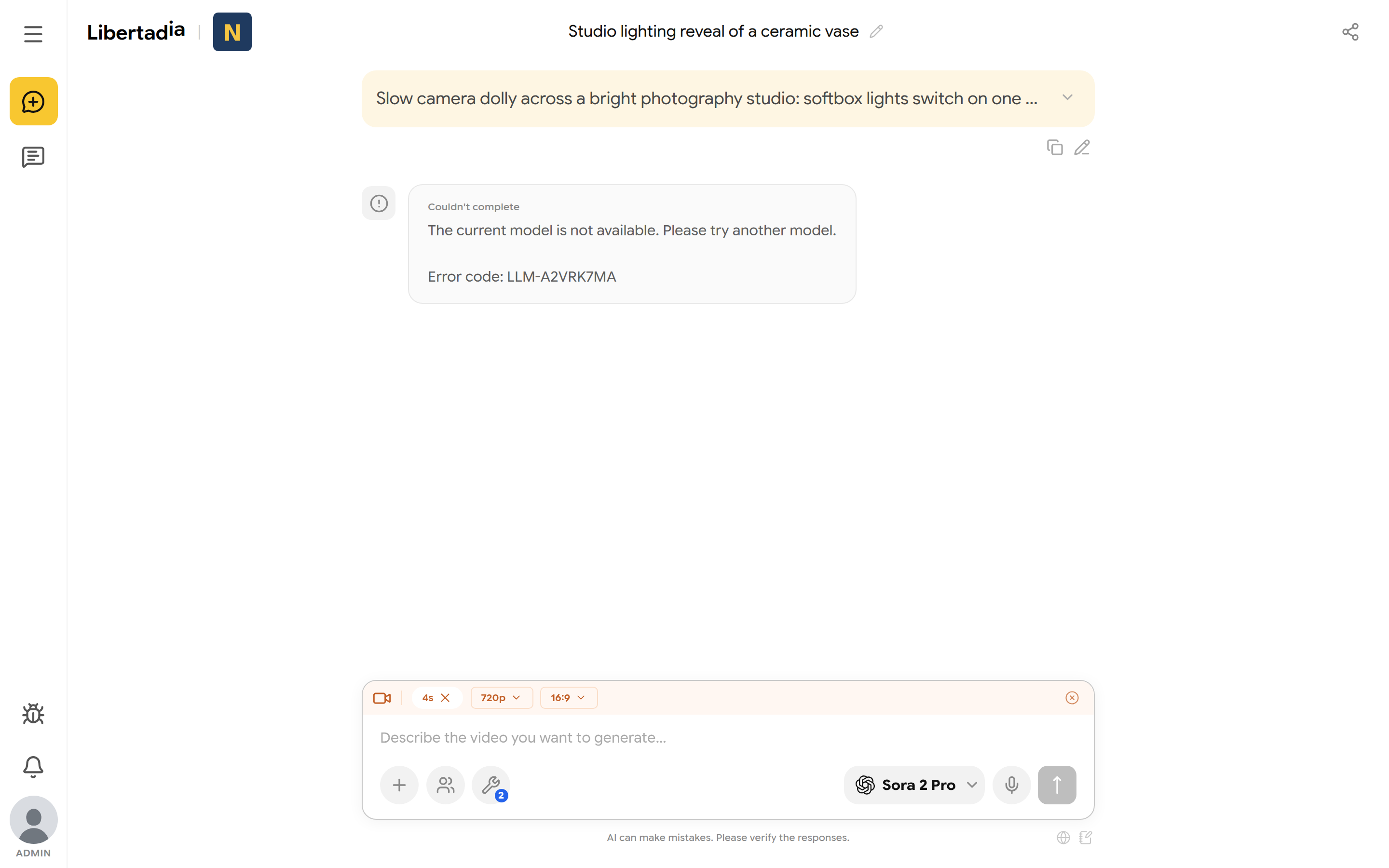
A failed video request with its error code.
| Message | What to do |
|---|---|
| The current model is not available | Pick another model in the model picker and send again |
| This model is under high demand right now | Wait a moment and retry, or pick another model |
| The AI service is overloaded or temporarily unavailable | Retry in a few moments |
| Insufficient balance | Top up, or ask your company owner or administrator (see 12.2) |
If the problem repeats, send a bug report and include the error code. Support keeps the code for about 30 days; it contains no message text or files.
Insufficient balance or limit reached
You see this when your balance is empty, or when a company administrator set a spending limit that you have reached.
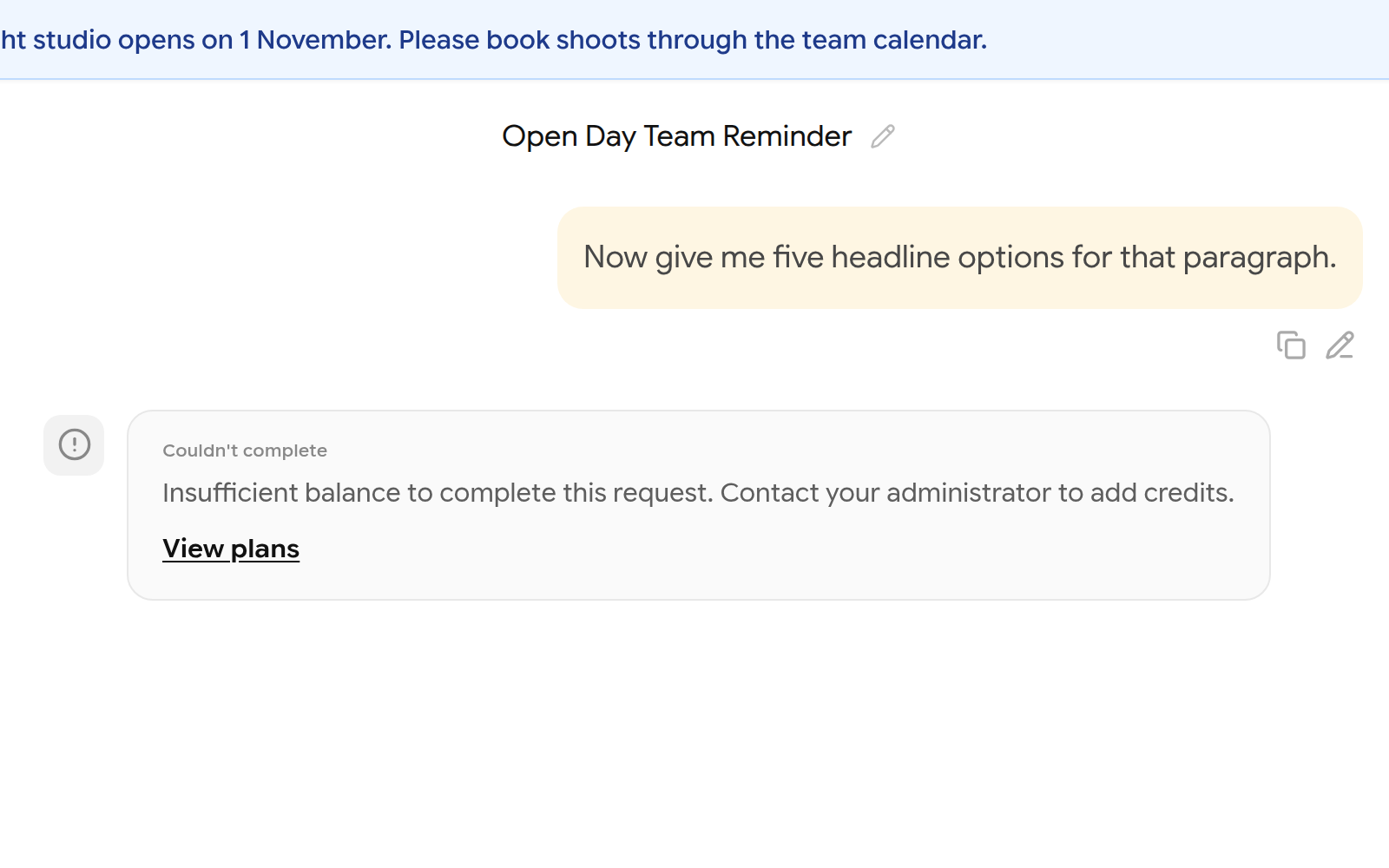
A member who reached their spending limit.
- Personal workspace: click View plans or open Subscription and add balance, or wait for the monthly renewal.
- Company workspace: ask an administrator to raise your limit, or the owner to top up. Your own top-up does not pay for company use.
AUTO shows a warning or refuses to answer
A ⚠ on the AUTO button, or a red ! on the chat panel, means your company does not allow a model selected in Auto LLMs.
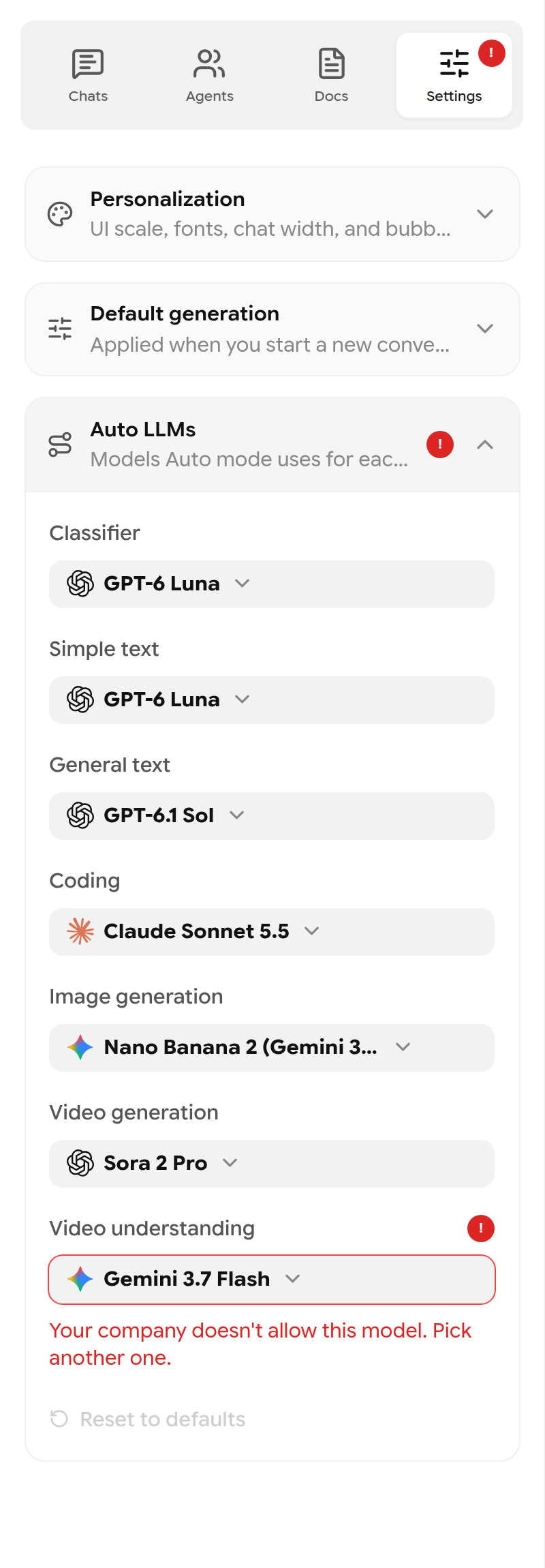
A blocked route in Auto LLMs.
Open the chat panel → Settings → Auto LLMs, choose an allowed model for each route marked !, or click Reset to defaults. If a message was refused, click Open Auto LLMs on it, fix the route and send again.
Your account is read-only
If a platform administrator restricted your account, a banner shows until when and why. You can still read your chats, documents and pages, but you cannot make changes or interact with other users.

A temporary read-only restriction.
If you think this is a mistake, use Settings → Contact.
Payments are temporarily unavailable
A yellow banner on Subscription means checkout and top-ups are paused for maintenance. Your current plan and balance keep working. Try again later.
Sign-in and account problems
| Problem | Solution |
|---|---|
| Invalid credentials. Please try again. | Check the email and password, and that Caps Lock is off. Use Forgot password? if needed |
| No confirmation email | Check spam, then use Resend confirmation. The link is valid for 24 hours |
| Reset link invalid or expired | Request a new one. Links work once and expire after 1 hour |
| Invitation says wrong account | Sign out and sign in with the invited email address |
| Demo ended | Choose a paid plan on Subscription |
Other common problems
| Problem | Solution |
|---|---|
| A model is missing from the picker | Clear the type filter. Your company may have restricted it |
| Attachment rejected | Check type and size limits (see 4.6) |
| Cannot create an agent | Demo allows 1 owned agent. Delete one or upgrade |
| Cannot create a brain, integration or automation | These need PRO or higher. Base shows an upgrade prompt |
| Agent changes disappeared | Click Save in the agent editor before leaving the page |
| Agent ignores a skill | Attach the skill, save the agent, and use a text chat |
| Brain not used | The brain must be Ready, on a text function, with brain search on |
| Integration does nothing | It must be Connected, and you must Approve write actions |
| Workflow does not run | It must be saved, all nodes connected, and switched to Enabled |
| Dictation fails | Allow the microphone for the site, or try another browser |
| Storage looks full | Empty the Recycle Bin |
| You cannot see Company, Users or Permissions | These are for company administrators, inside a company workspace |