Using Libertadia
Brains (knowledge bases)
A brain is a private knowledge base built from your files, text and web links. Chat and agents can search it and answer from your own content, with the source named. Brains are available on PRO, Team and Enterprise; Demo includes one small brain.
Create a brain
- Open Brains and click New brain.
- Enter a Name and an optional Description, then click Create.
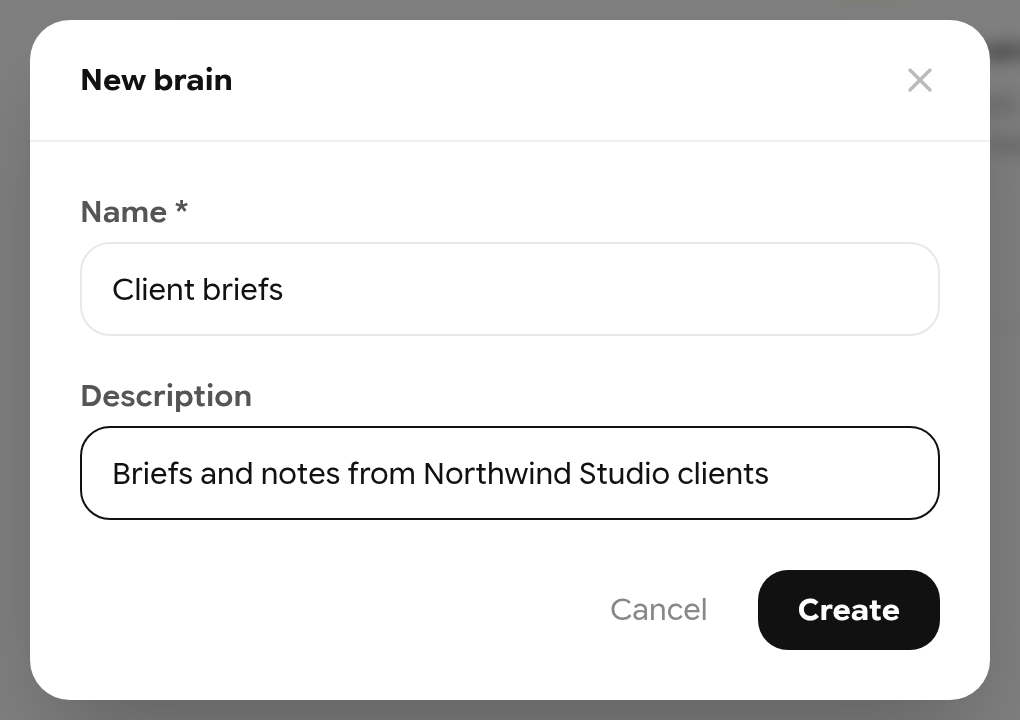
Creating a brain.
Add sources
Use the buttons at the top of the brain page to add sources:
| Button | Adds |
|---|---|
| File | PDF, DOCX, ODT, spreadsheets, text and code files |
| Image | JPEG, PNG, WebP, GIF |
| Doc | A document from your Libertadia library |
| Text | Text you paste |
| URL | A web page |
Before a file is saved, the redaction view opens so you can hide sensitive data. It works the same as in chat (see 4.6): redact, then click Save with N redactions or Save without redacting.
Choose how agents should use the brain:
- Tool retrieval — the AI searches the sources with tools. Needs a model that supports tools.
- RAG — sources are indexed for semantic search. Click Save and index; indexing uses a small amount of balance, and an estimate is shown first.
Set Private or Public (visible in your company catalog), then click Save.
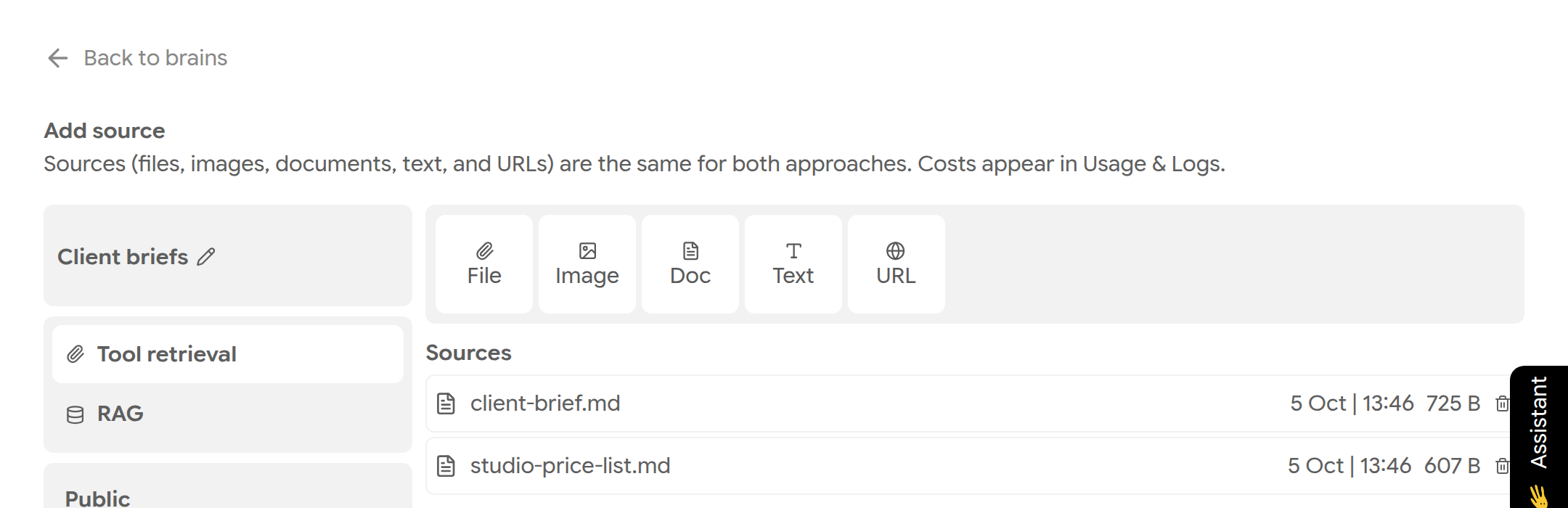
A saved brain with two sources.
Sources move through Pending → Processing → Ready. A source in Error was not added; remove it and upload a supported file.
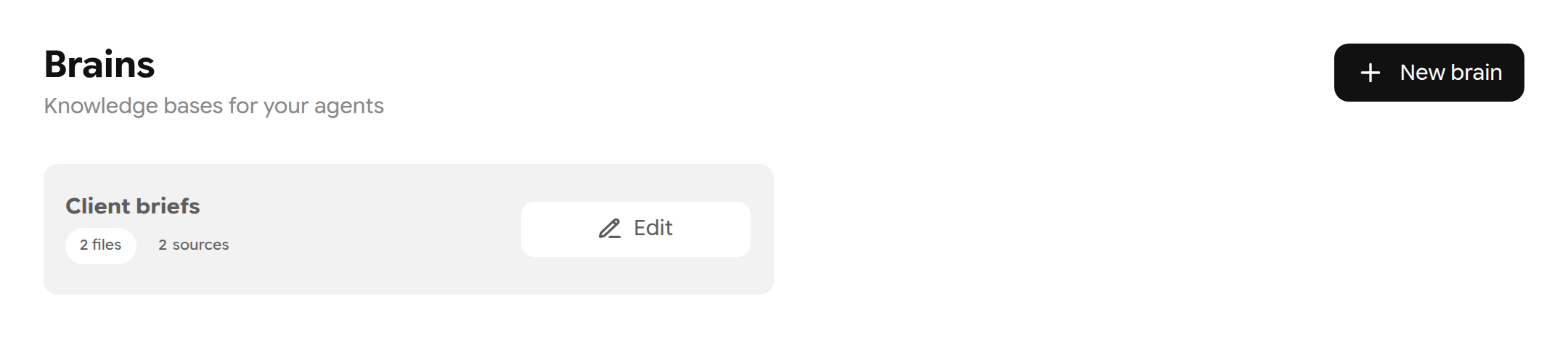
Your brains.
Ask questions using a brain
- In chat, click Tools, then click the words Brain search and pick your brain.
- Ask your question. The reply names the source it used. Expand Worked for… to see the brain searches.
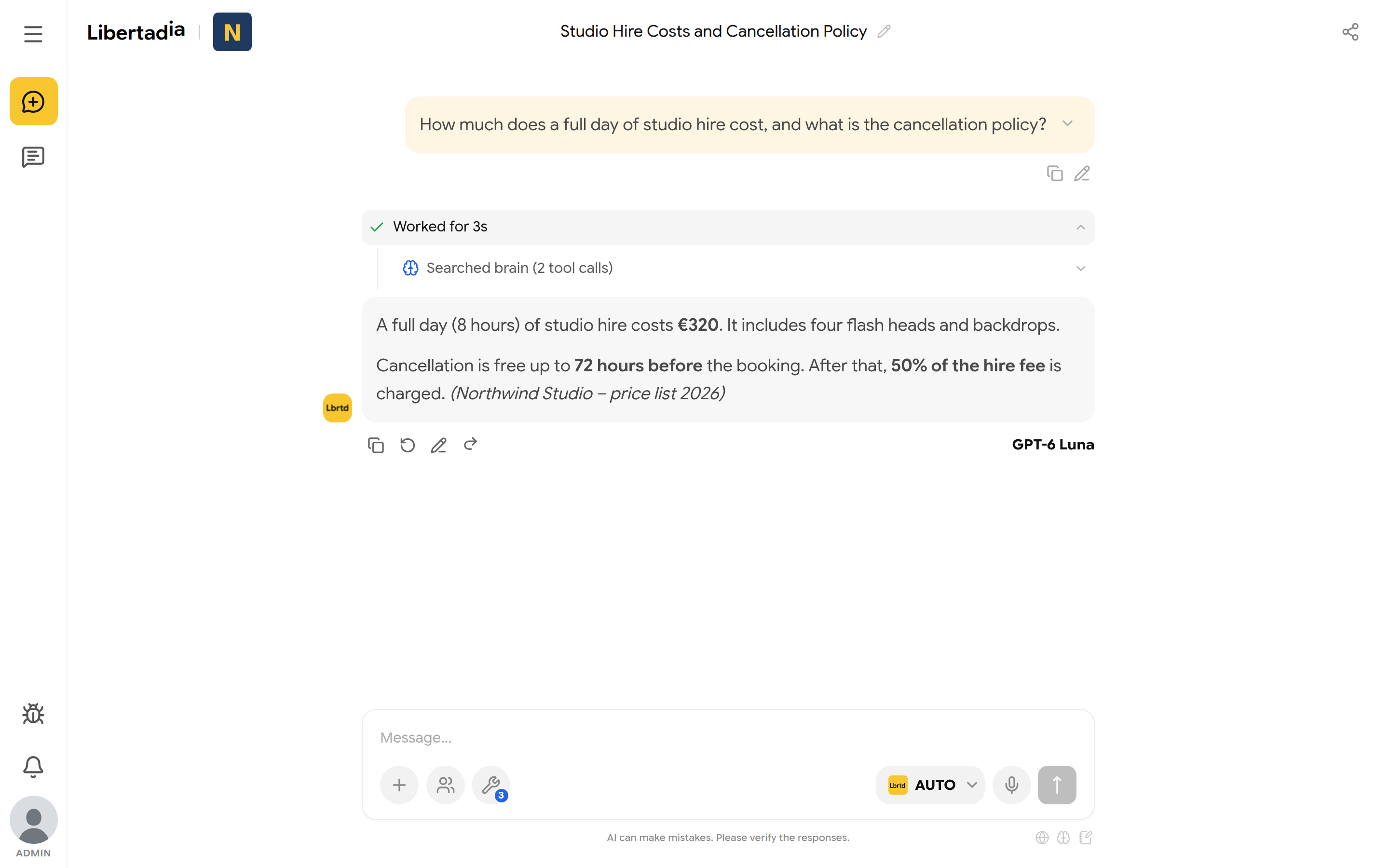
An answer taken from the brain, with its source.
You can also attach a brain to an agent's text function, so the agent always searches it (see 6.3).
Limits
| Plan | Brains | Per file |
|---|---|---|
| Demo | 1 brain, up to 2 sources | 2 MB |
| Base | Not included | — |
| PRO, Team, Enterprise | No fixed limit | 512 MB, PDFs up to 2,000 pages |
Note: Your brain is private unless you make it public. When an agent searches it, the relevant excerpts are sent to the AI model as part of that request. Redacted text is never indexed or sent.