Account & teams
Account, subscription and usage
Your profile, preferences, plan, balance and spending are managed from three pages: Settings, Subscription and Usage & Logs. Open Settings and Subscription from the workspace switcher at the top of the main menu.
Settings (My profile)
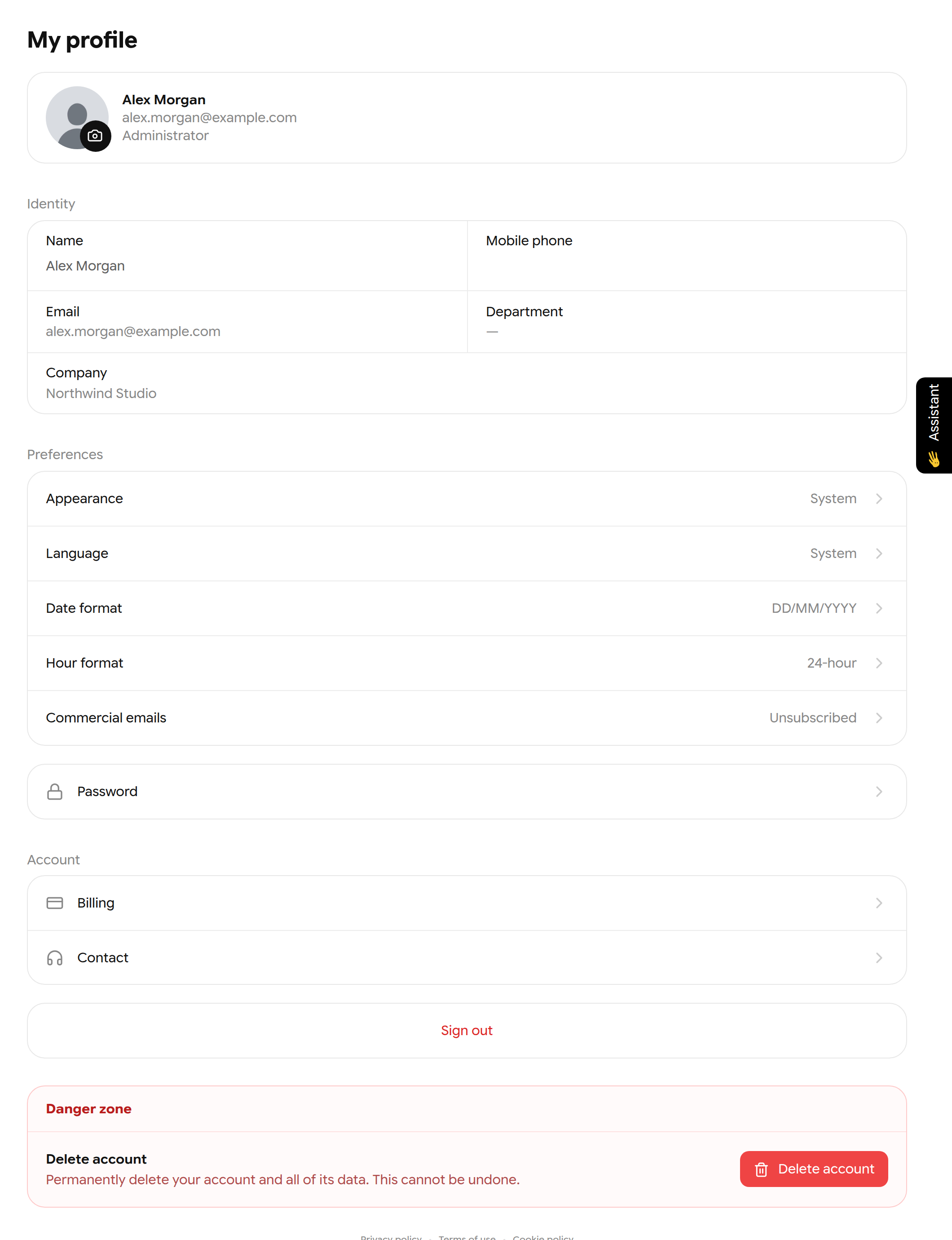
The My profile page.
| Area | What you can change |
|---|---|
| Photo and Identity | Profile photo, name and mobile phone. The email is your sign-in address and cannot be changed here |
| Appearance | System, Light or Dark. Saved on this device |
| Language | System, English or Español |
| Date format / Hour format | DD/MM/YYYY, MM/DD/YYYY or YYYY/MM/DD; 12-hour or 24-hour |
| Commercial emails | Subscribe or unsubscribe from product news |
| Password | Change your password (12 characters minimum), or set one if you only use Google |
| Billing | Opens Subscription |
| Contact | Sends a message to support |
| Sign out | Signs you out on this device |
| Danger zone | Delete account permanently removes your account and data |
Important: Deleting your account cannot be undone.
Subscription and balance
The Subscription page shows your current plan, your available AI balance, the plans you can switch to and your payment history.
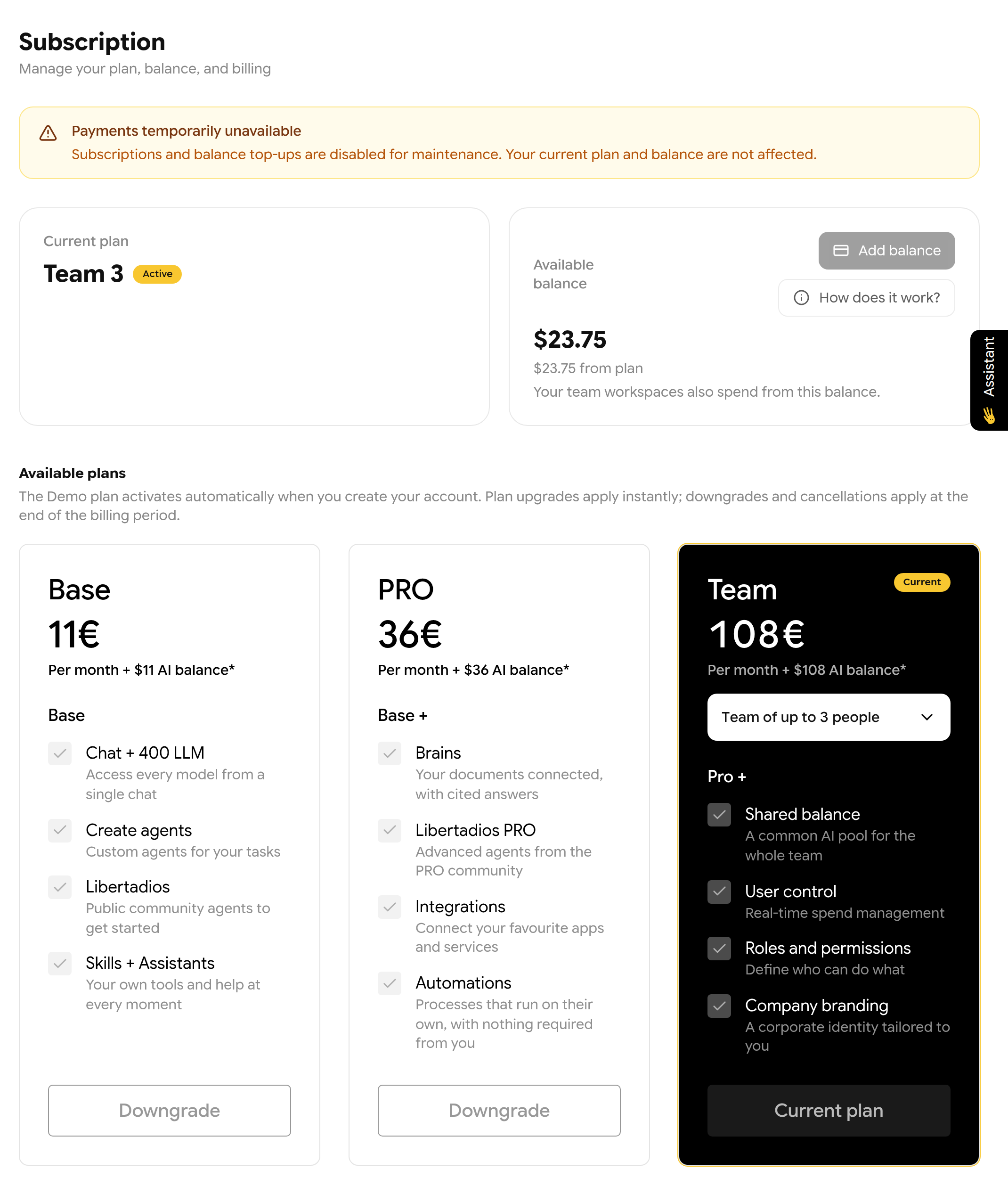
The Subscription page. The yellow banner appears only when payments are paused for maintenance.
- AI requests are charged at the real model cost and deducted from Available balance (in US dollars).
- Plan balance renews with your subscription and is used first. Top-up balance never expires and is used after it.
- Upgrades apply immediately. Downgrades and cancellations apply at the end of the billing period.
- Click Add balance for a one-time top-up of 10 €, 20 € or 50 €.
- In a Team company, everyone's usage is charged to the company owner's balance.
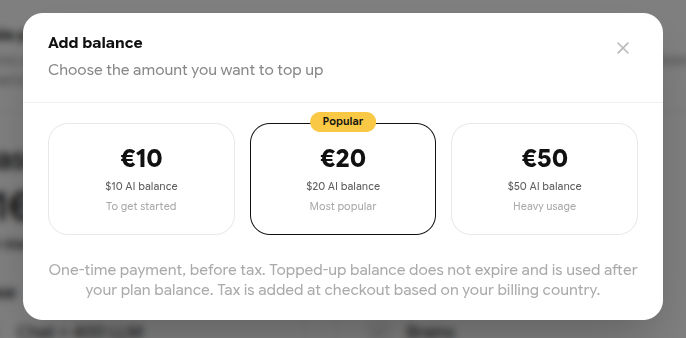
The Add balance dialog.
Usage & Logs
Usage & Logs shows where your balance went. Open it from View details at the bottom of the main menu. Choose 7 days, 30 days or 90 days at the top.
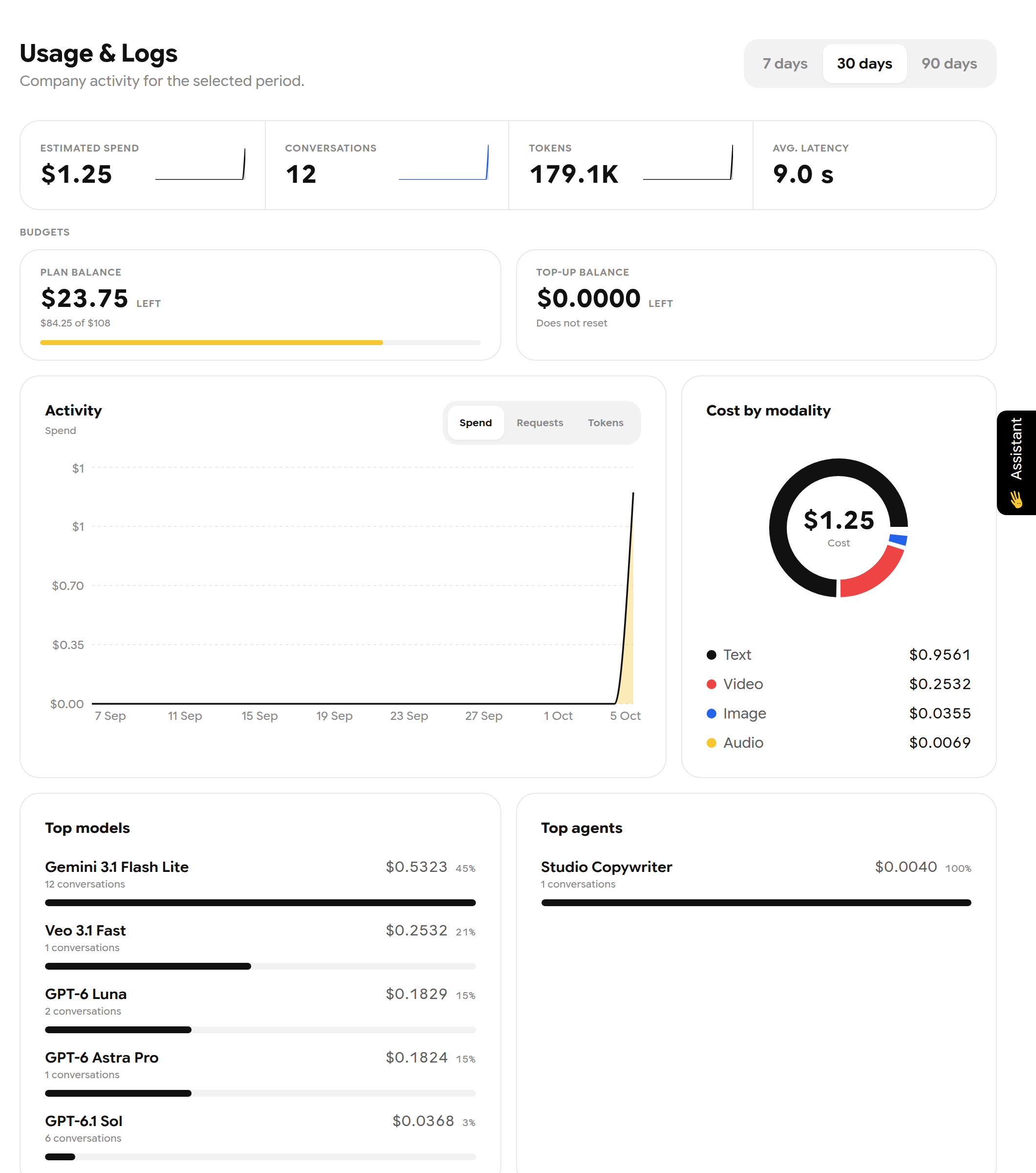
The Usage & Logs dashboard.
| Part | What it shows |
|---|---|
| Headline numbers | Estimated spend, conversations, tokens and average latency |
| Budgets | Plan balance, top-up balance, and any spending limits |
| Activity | Spend, requests or tokens over time |
| Cost by modality | Text, image, audio, video and other costs |
| Top models / Top agents | What you used most and what it cost |
| Breakdown | Time of day, tools used and providers |
| Activity table | Each request with model, tokens, cost and latency; Export CSV |
Note: In a company, you may see spending as a percentage of your budget instead of money. Administrators with the right permission also see People, Departments and Audit.
Notifications
Click the bell on the left rail to open Notifications. The Inbox keeps items from the last 30 days: finished generations, replies to your bug reports, company announcements and invitations. Workflow runs lists your automation runs.
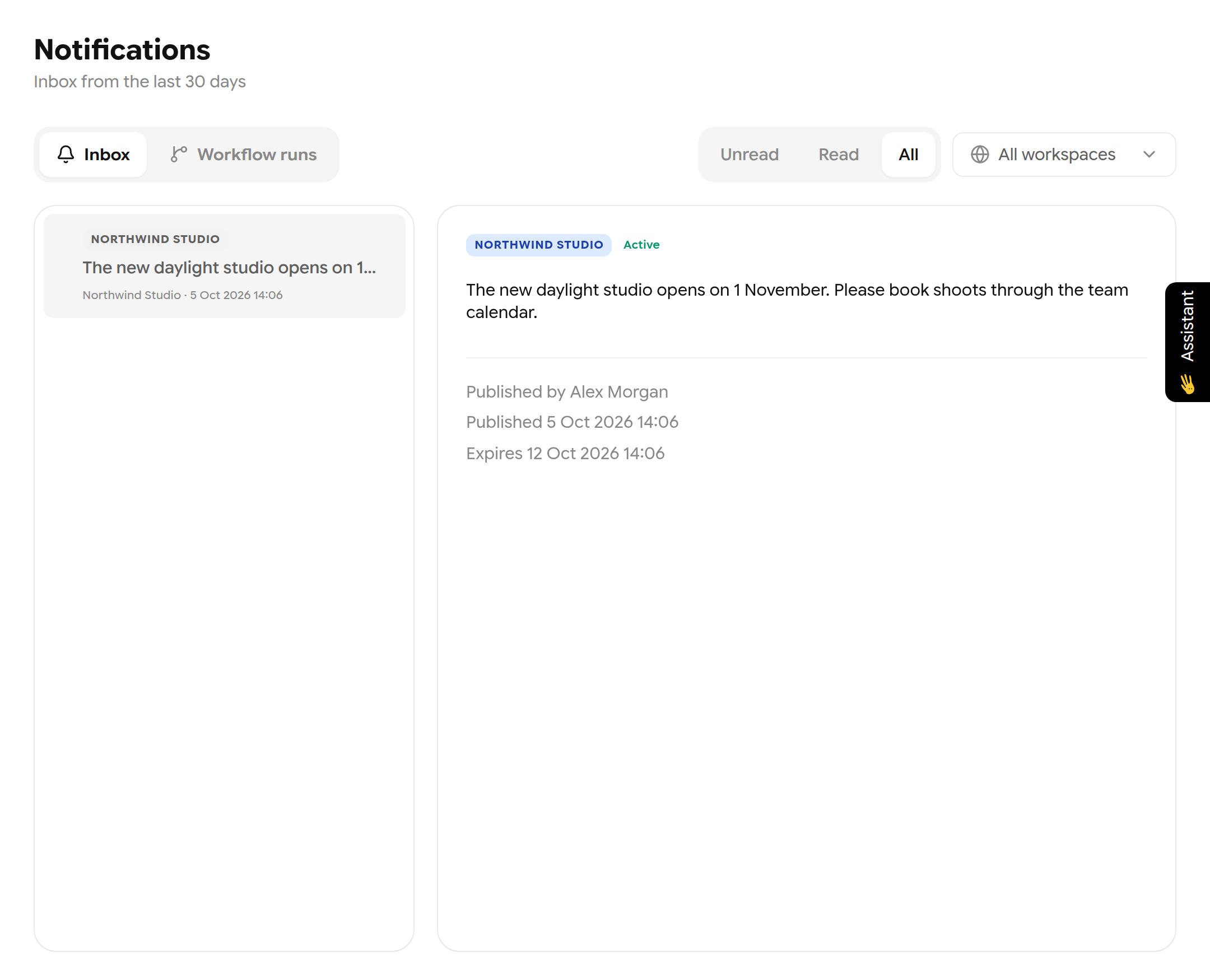
A company announcement in the Inbox.
Filter by Unread, Read or All, and by workspace. Mark all as read clears the unread badge without deleting anything.