Help
Getting help
Use the in-app Assistant for how-to questions, Bug reports when something does not work, and Settings → Contact for billing or account questions.
| Need | Where to go |
|---|---|
| How do I…? | Assistant button on the right edge of the screen (a floating button on phones) |
| Something is broken | Bug icon on the left rail → Report a bug |
| Billing, access, Enterprise | Settings → Contact |
| Model, budget or permission in a company | Your company administrator |
The in-app Assistant
The Assistant answers questions about Libertadia in your interface language. It can also create and edit agents you own, after you approve each change. If its answer disagrees with what you see on screen, trust the screen.
Report a bug
- Click the bug icon on the left rail, then Report a bug.
- Enter a Title and a Description: what you did, what you expected and what happened. Paste any Error code.
- Optionally add screenshots or videos (up to 10 files, 500 MB in total).
- Optionally click Attach conversation (up to 5). Each one opens for review: select text and choose Redact, click a file to censor it, or drag over an image to black it out. Only the censored copy is sent.
- Click Submit report.
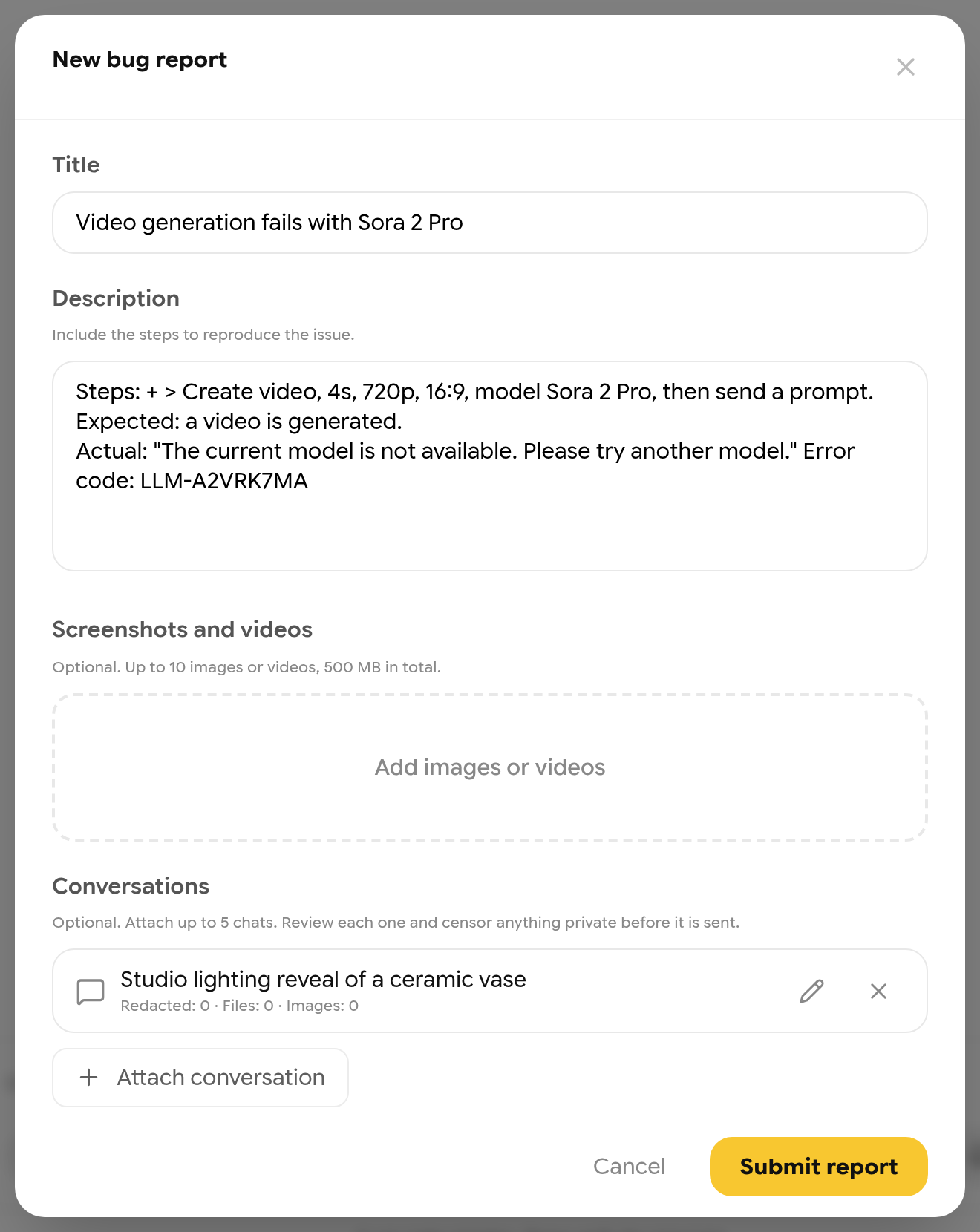
A bug report with an error code and an attached conversation.
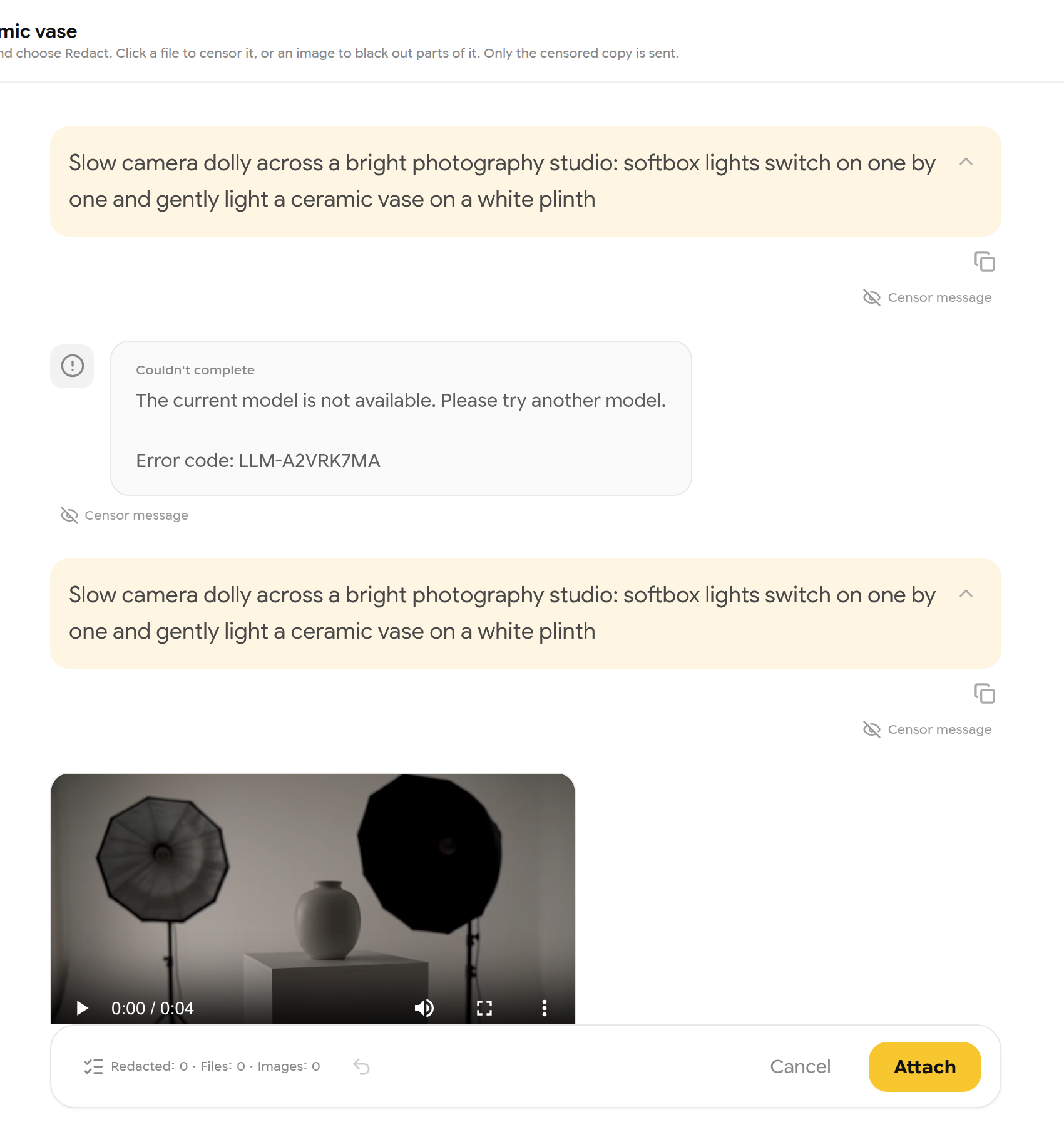
Reviewing a conversation before attaching it.
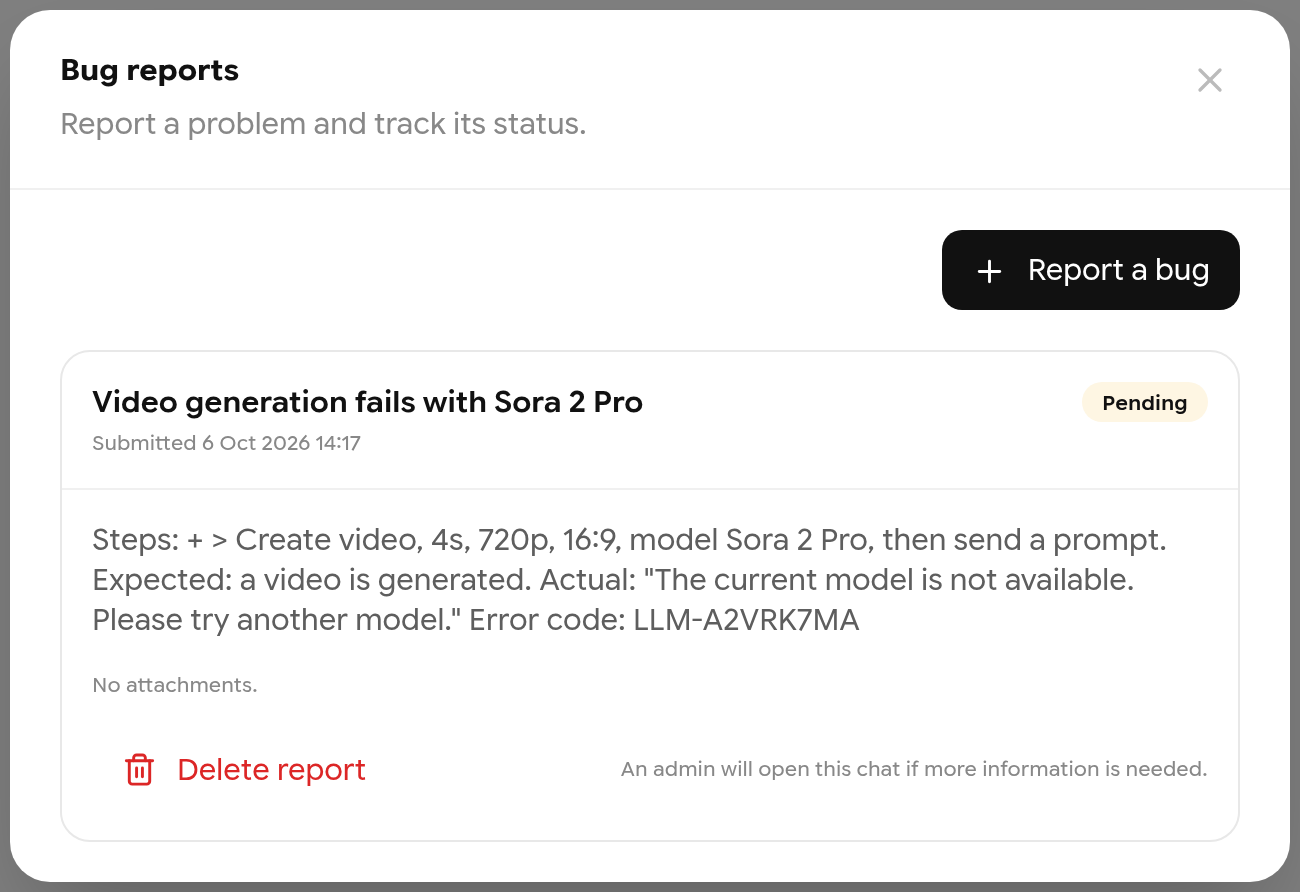
Your report and its status.
| Status | Meaning |
|---|---|
| Pending | Waiting for the team |
| Received by the team | The team has it |
| Requires information | Open the report chat and reply |
| Not an error | It works as designed |
| Closed | Done. Removed automatically after 5 days |
You are notified when support replies. Copy link to this report gives you a direct link to share with support.
Contact support
Open Settings → Contact, enter a Subject and Message (up to 4,000 characters), optionally attach a screenshot (up to 5 MB), and click Send. Your plan is included so support has context.
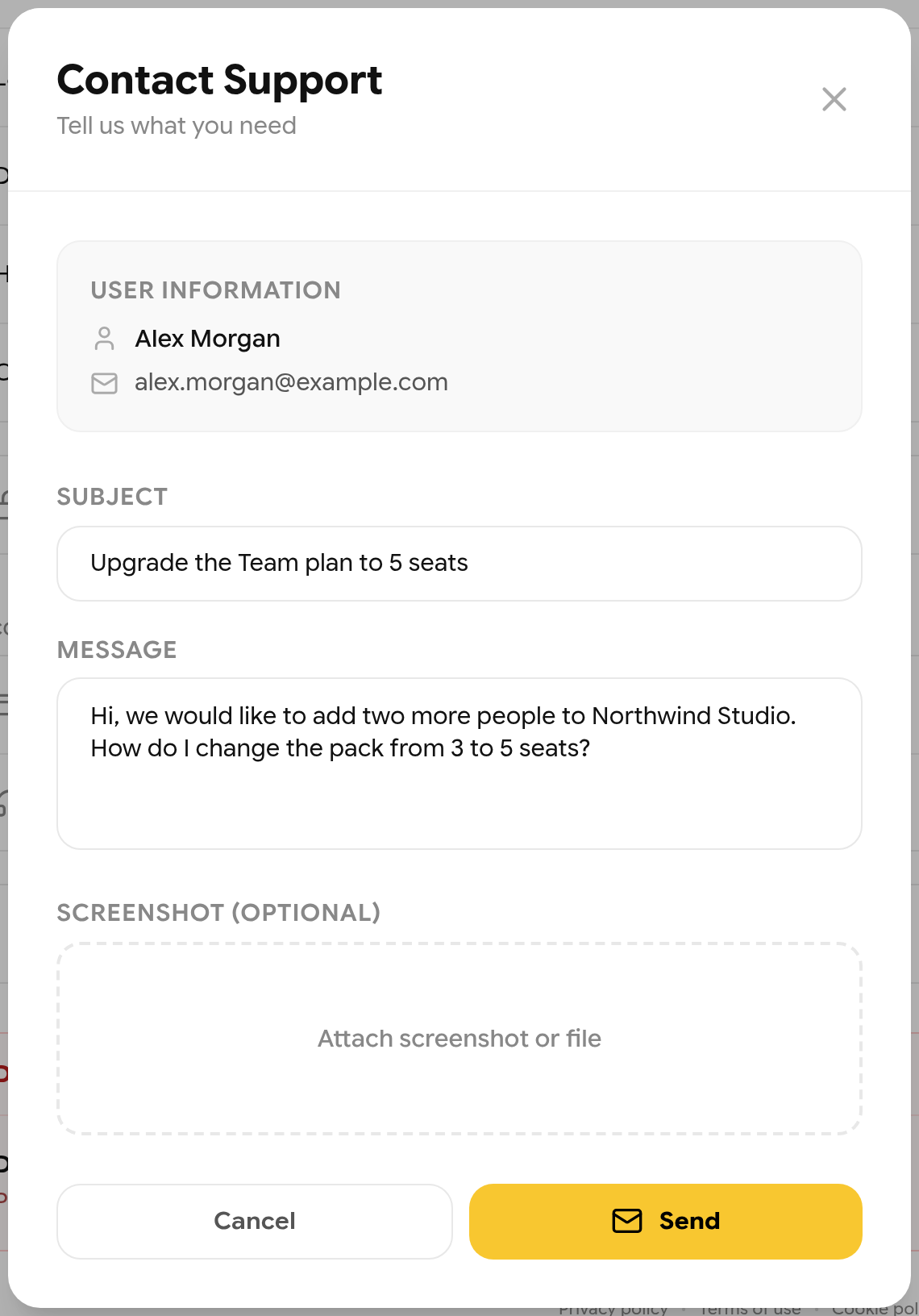
Contacting support.